Adding a card as a payment method is easy and fast.
Adding a credit card to your Built Pay account is simple and takes just a minute. You can connect your card when making a payment.
Here's how:
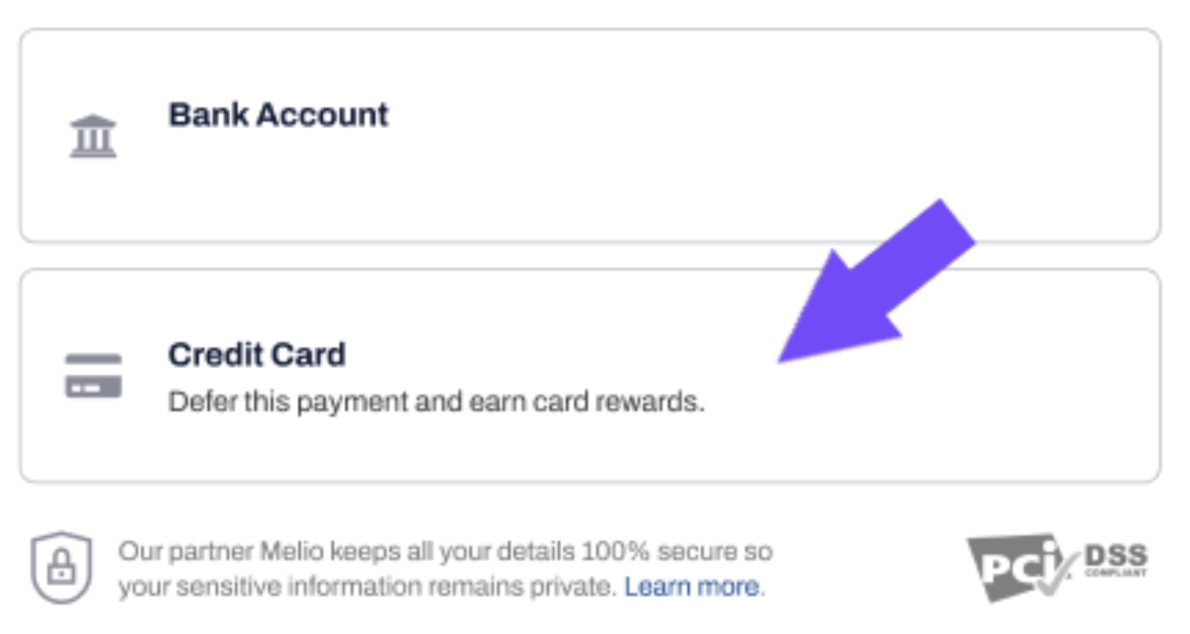
- Click Credit Card when asked to select your payment method.
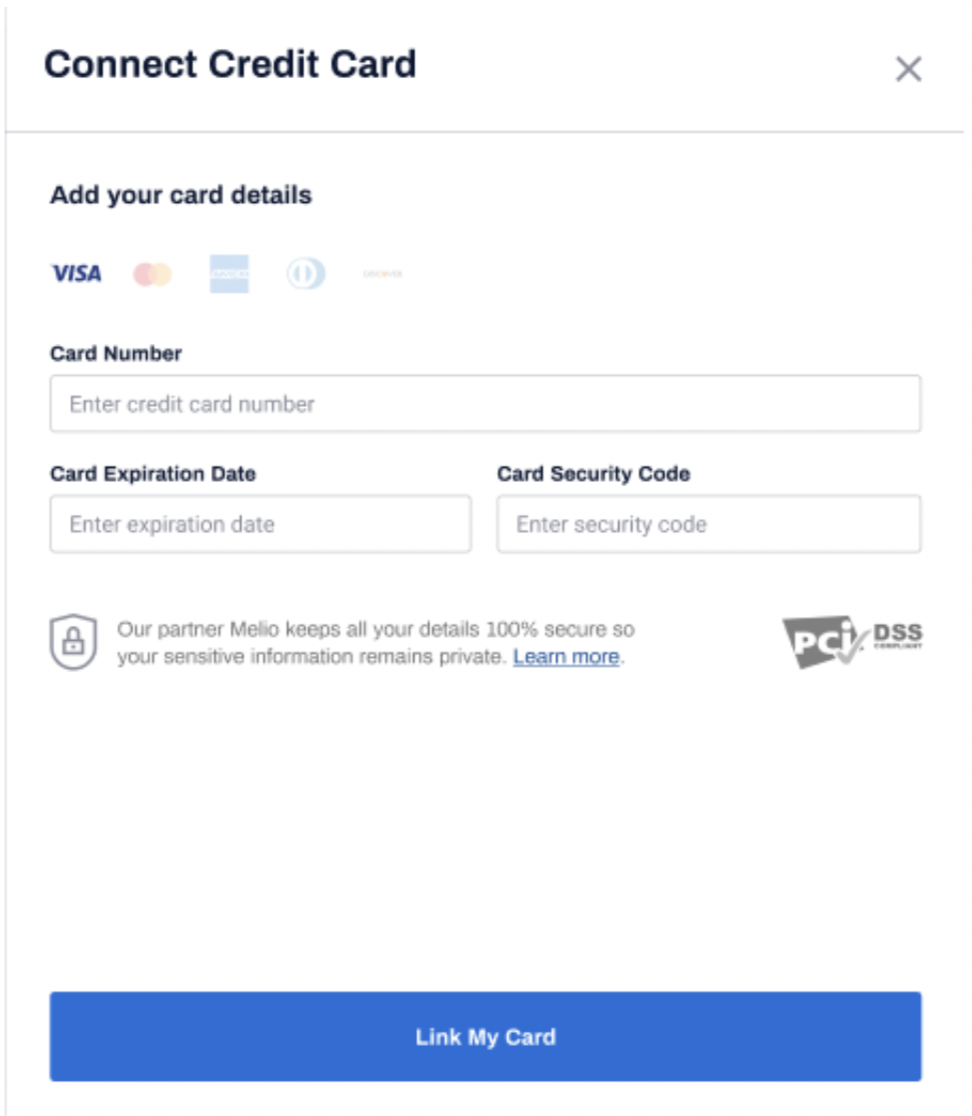
- Fill in your card information. Click Link My Card when ready.
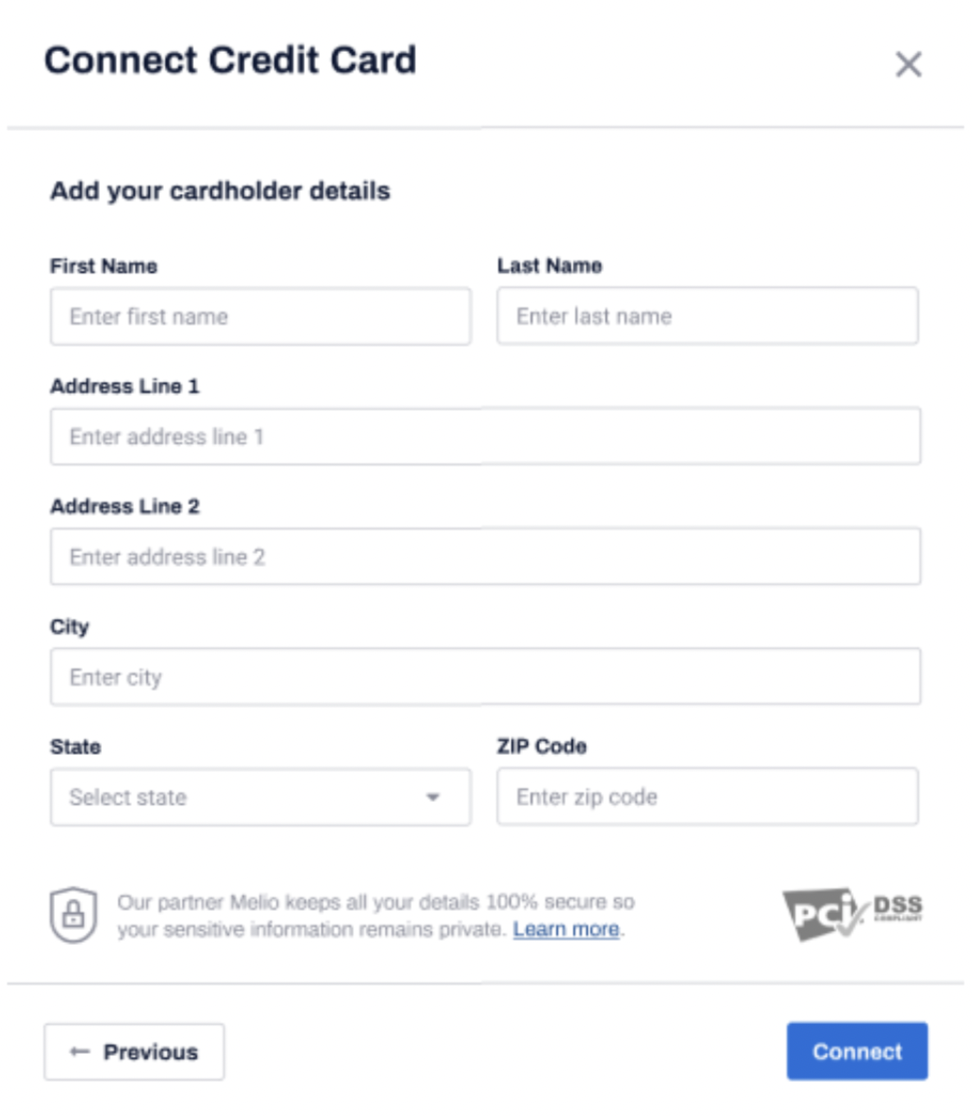
- Fill in the details of the card holder. Click Connect.
NOTES:
- Make sure that the information you're entering is the same as it appears in your credit card issuer records.
- Input your zip code unhyphenated.
Your card is now connected and can be used in current and future payments.
If you were unable to successfully add your card, see this article: Can't add my card.