All the reasons your payment could fail, and how to fix them.
There are several reasons that payments could fail: some related to the bank account or credit card you chose to pay from, and others from issues with your vendor’s bank account.
Potential issues with how you choose to pay:
|
Paying from... |
Issue |
Resolution |
|
Bank account (ACH) |
Insufficient funds in bank account |
Add funds to your bank account and re-schedule the payment, or change your payment method and reschedule. |
|
Bank account (ACH) |
Bank account appears to be frozen or blocked by the bank |
Change your payment method and reschedule your payment, or contact your bank to request it unfreeze the account / remove the block. Then reschedule your payment. |
|
Credit card |
Credit card has been blocked, possibly due to a card limit or fraud concern. |
Change your payment method or ask your card issuer to remove the block, then reschedule the payment. |
|
Credit card |
Credit card has a limit preventing this payment from being processed. |
Change your payment method or ask the card issuer to modify your card's limit, then reschedule the payment. |
|
Credit card |
Your card issuer has blocked this payment. |
Change your payment method or contact your card issuer to approve the payment. |
Potential issues on your vendor’s end, when paying with direct deposit to vendor’s bank account:
|
Issue |
Resolution |
|
Payment has been declined by the recipient. |
Check with your vendor why they declined the payment. Once you’ve made sure your vendor is willing to accept the funds, reschedule the payment. |
|
The payment method selected by the vendor is unable to receive payments. |
Send the payment to a different account, send a check instead, or ask your vendor to select a different delivery method, then reschedule the payment. |
When a payment fails, a notification email with the issue details will be sent to you.
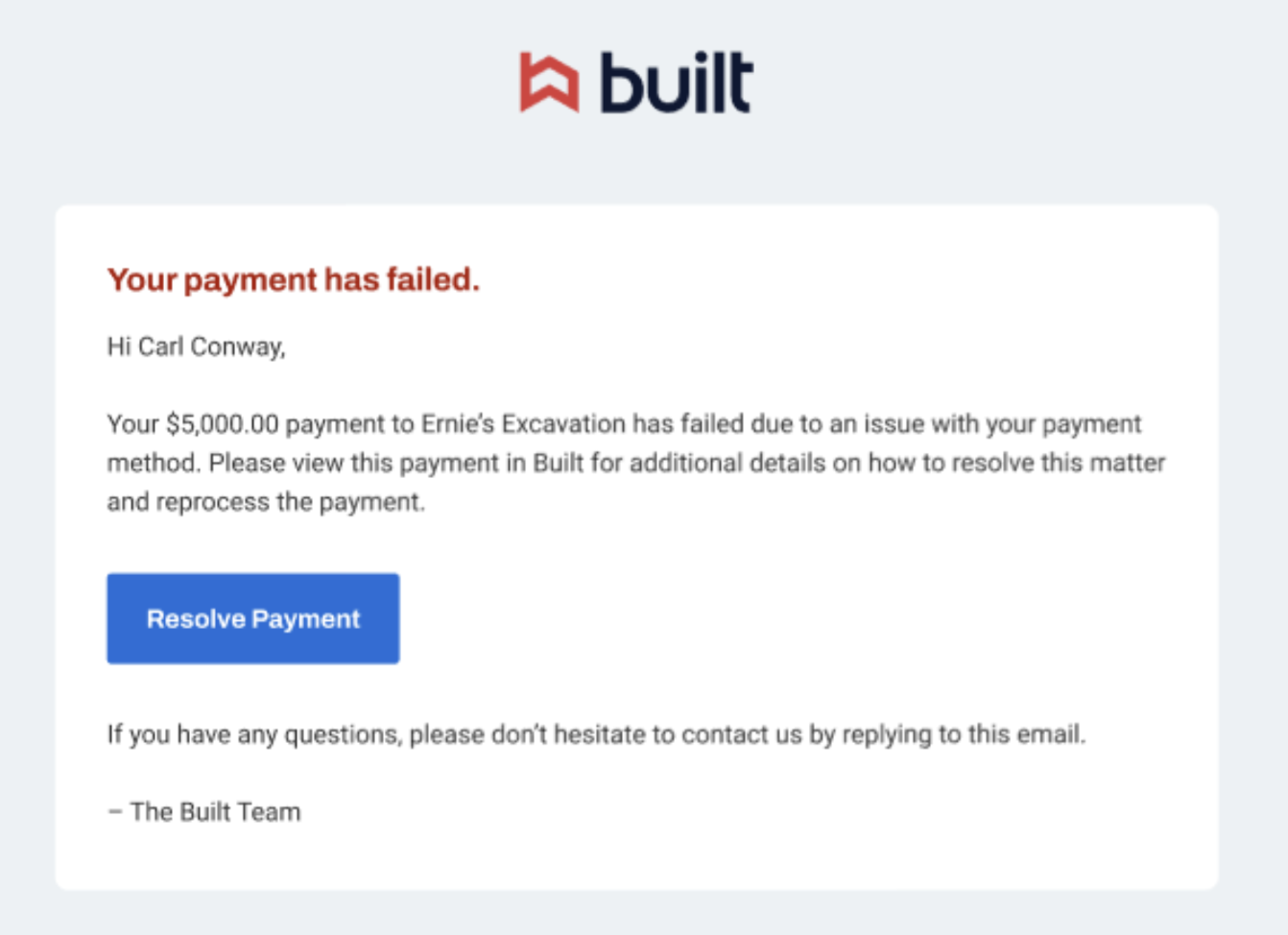
To resolve any issue, you’ll need to:
- Click Resolve Payment in the email or log in to your account.
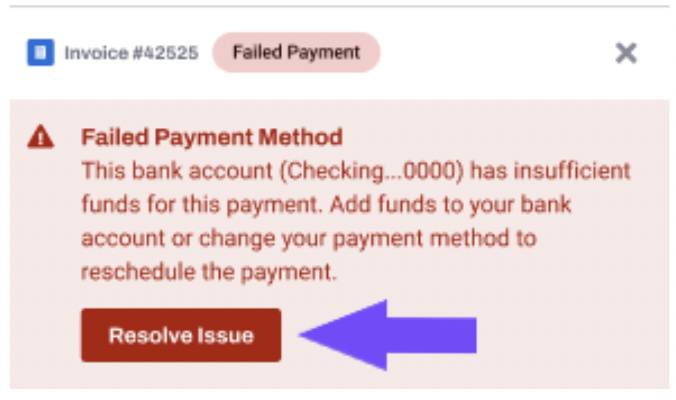
- Go to your Pay Bills dashboard and select the failed payment you’d like to retry. An error notification will be displayed in the details window.
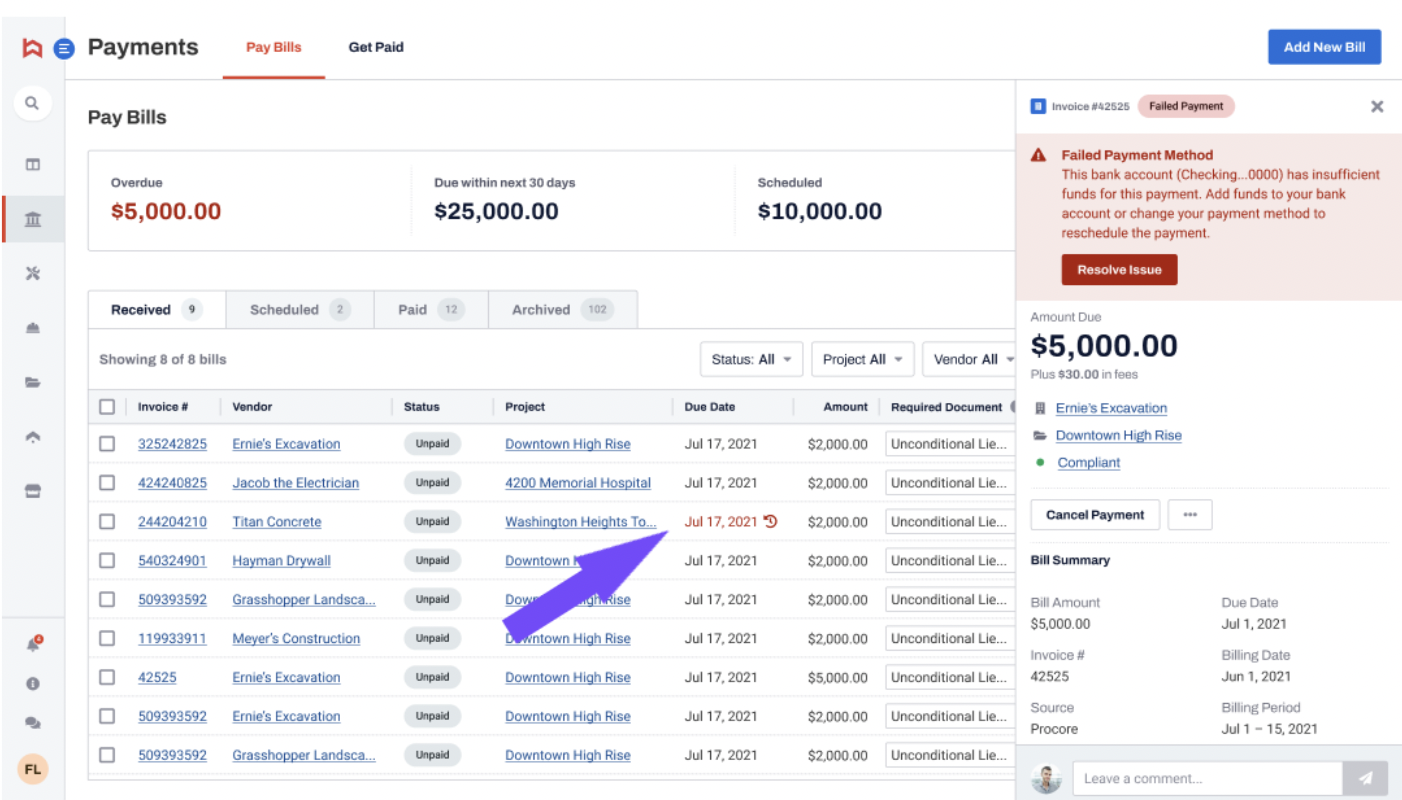
- Click Resolve Issue.
- Select a payment method when asked how you want to pay. If the payment method is problematic, a notice will appear.
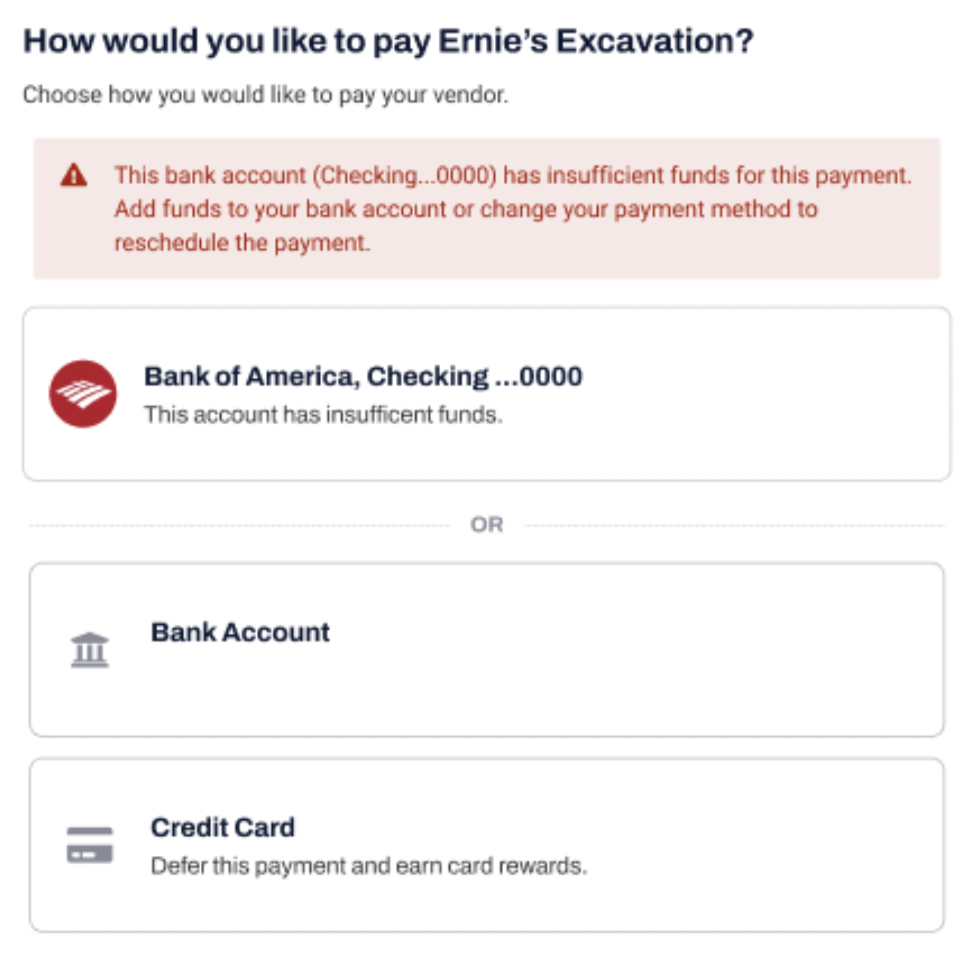
If this happens select a different payment method:
- To connect a new bank account follow this article.
- To add another credit card follow the instructions here.
Another option is to contact your bank or card issuer to solve the problem.
- Continue with scheduling a payment as described in this article.
If you’re still unsure why your payment failed, feel free to reach out to us at support@getbuilt.com.